Here are the latest updates to Viqal.
Guest Experience Enhancements
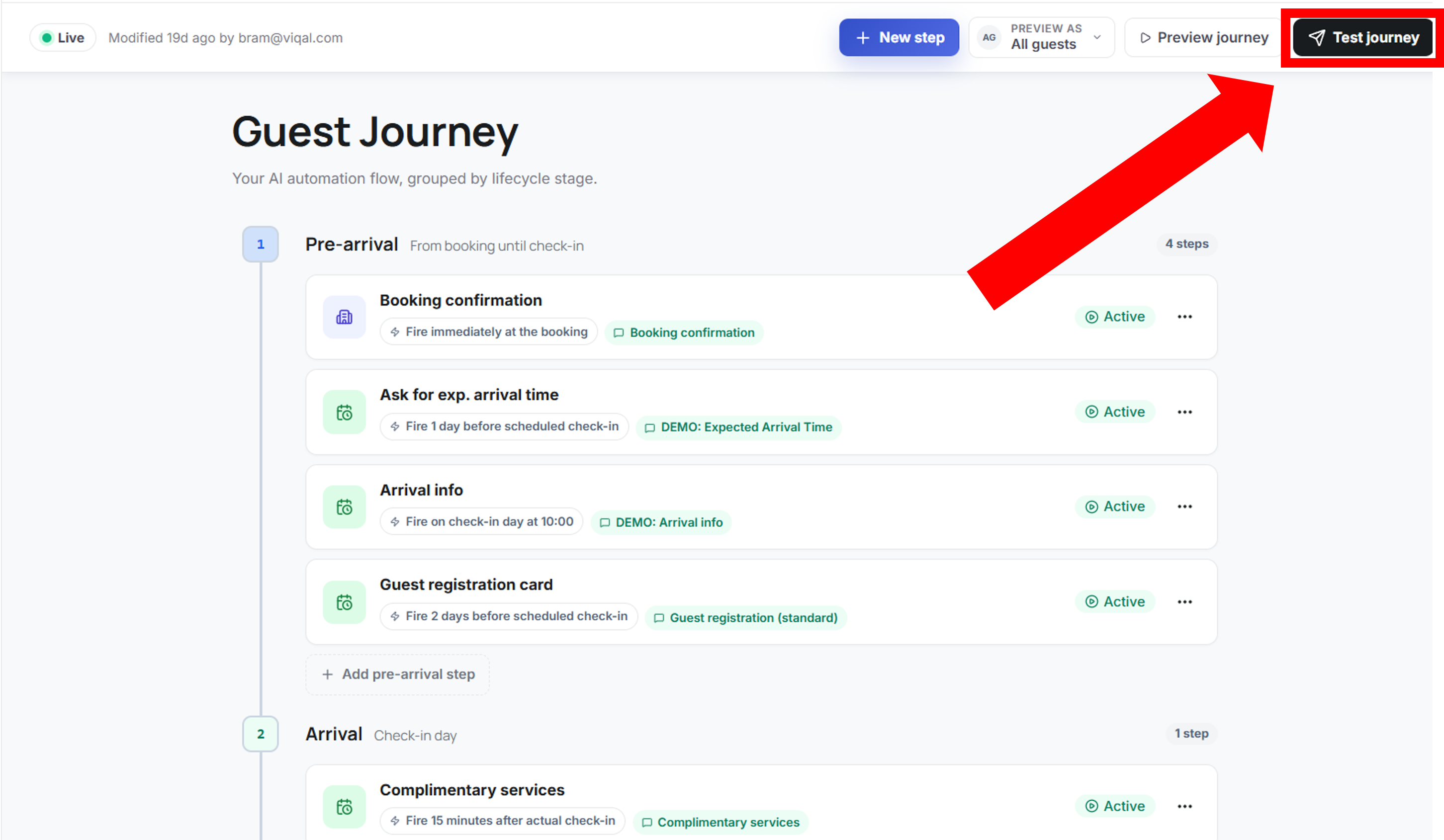
Test Guest Journeys (All accounts): You can now test an entire guest journey directly from the dashboard. Go to Automation → Guest Journey → Test Journey to send all scheduled messages in one test run, with a few seconds between each message, so you can review every template at once.
Guest Segmentation (Opera): New segmentation options are now available in Journeys and Campaigns, using additional guest information for more targeted communication. Currently available for properties connected to Opera. Support for additional PMSs is coming.
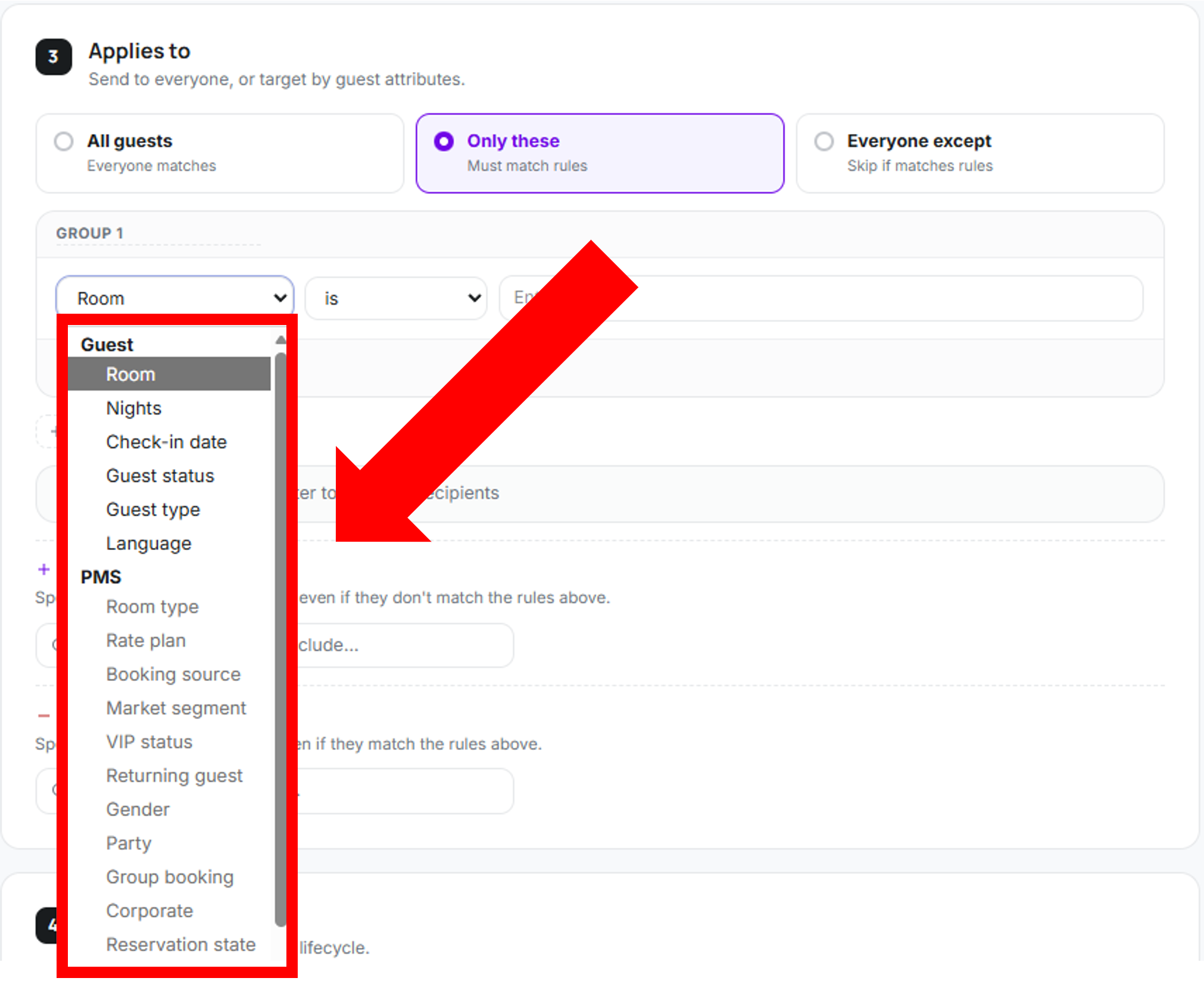
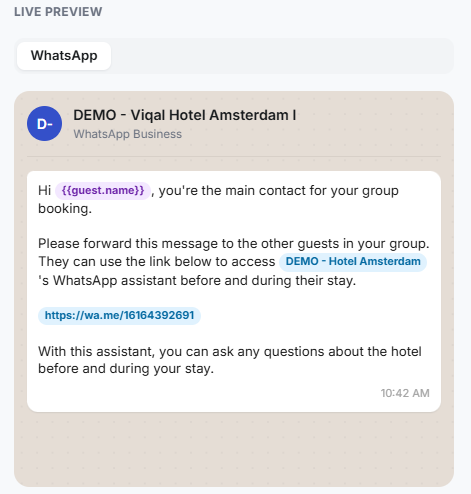
Group Bookings (Opera): Guests in a group booking can now invite other members of their group to access the Viqal assistant. Add the Group Booking template from the Template Library and trigger it in a Guest Journey for bookings where Party is greater than 1. The main booker can then share the message with the rest of the group, who can access the assistant through a one-click link. Currently available for properties connected to Opera. See below the template available in your template library.
Administrative Improvements
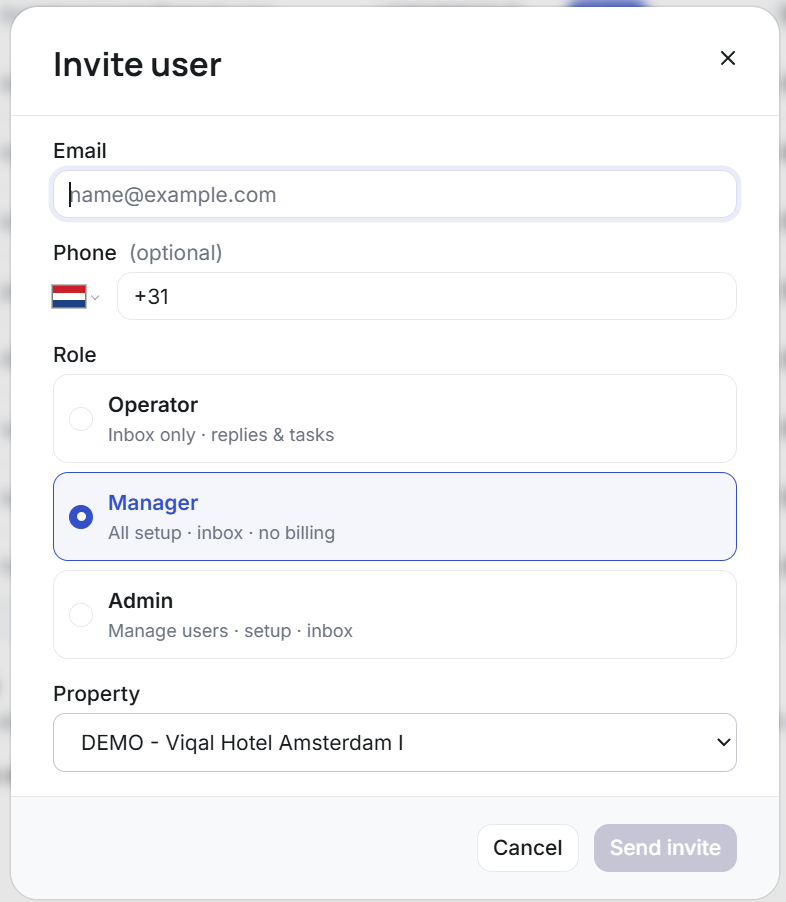
Adding a team member: Invite team members, assign their role, and control which properties they can access directly from Settings → Team. Choose from Operator, Manager, or Admin access depending on what each team member needs to do. Only an Admin of the account can add people and can change the Role for other members.
Explore more Viqal use cases
You can also use Viqal to automate common guest communication workflows:
Set up a guest feedback flow in WhatsApp: Collect feedback from guests directly through WhatsApp.
Guest registration card: Send and collect guest registration information through WhatsApp.
Proactive guest communication: Automatically reach out to guests at relevant moments throughout their stay.
Send a one-off marketing campaign: Send targeted one-off campaigns to your guests.