Viqal Dashboard upgrade (phase 2): upsells, tasks and your hotel's own voice
Phase 1 gave you more ways to reach guests. Phase 2 turns those messages into revenue, and makes sure every request gets handled.
Sell extras straight from WhatsApp (beta)
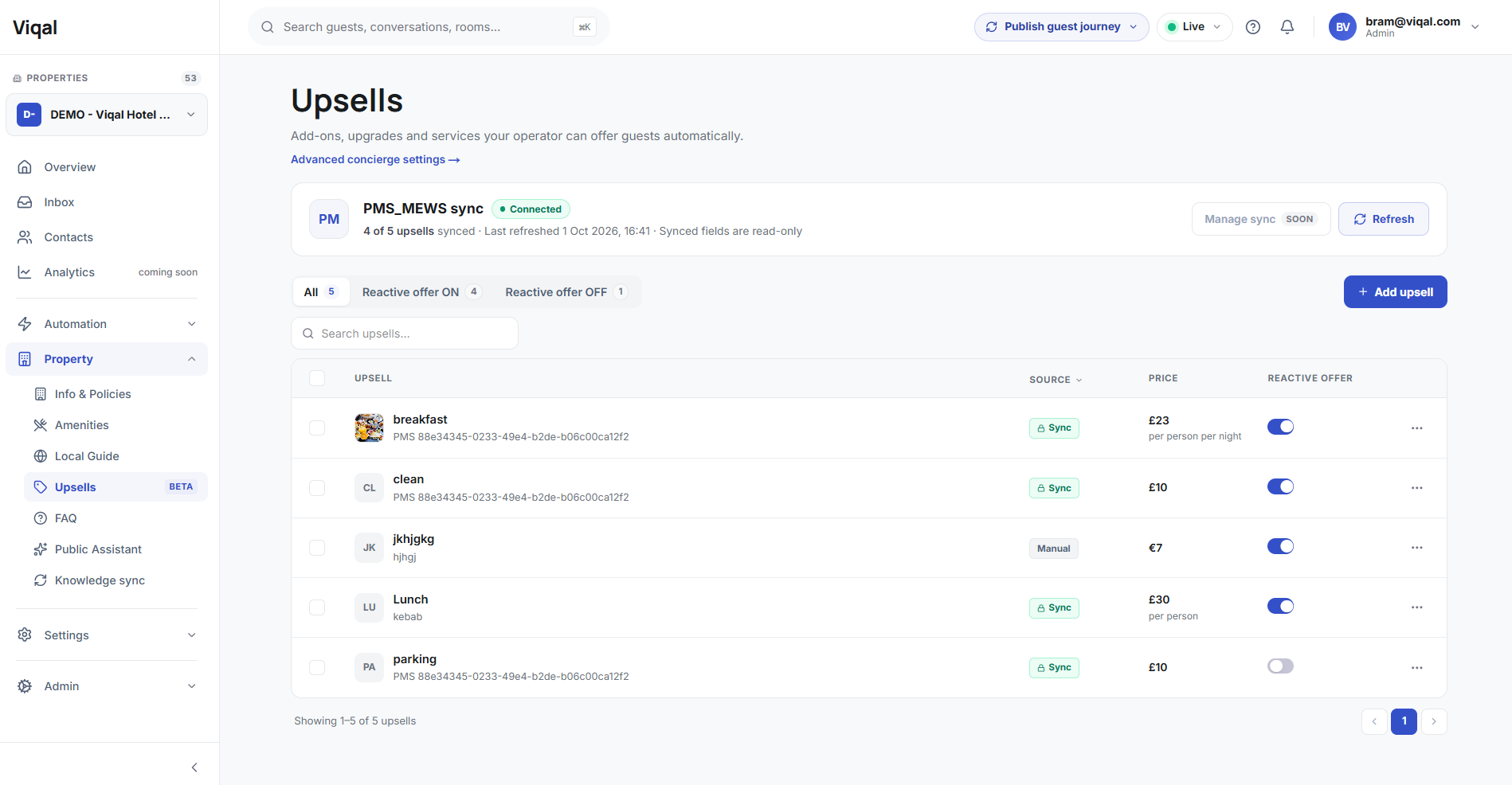
Upsells are now products you add straight into your templates, each with its own price. Offer breakfast, late checkout, a parking spot or a room upgrade at the right moment in the guest journey. Pricing works for one-off, per-night and per-person offers.
For the first time, you can see what Viqal earns your hotel, not just how much time it saves.
Mews: your products sync automatically, so there's nothing to set up twice. When a guest buys an extra, Viqal adds it to their bill in Mews, and the order closes in Mews once your team completes it. Currently available for properties connected to Mews. Support for additional PMSs is coming soon.
Smarter ordering: if a guest taps an offer that's already being handled, the assistant asks if they'd like to talk to the team. Guests can reorder from a new message, while accidental double taps never lead to a double charge.
You can set up your upsells under Property > Upsells
Tasks: make sure every extra gets delivered (beta)
Every upsell, synced with your PMS or not, can create a fulfilment task. Handle it in Mews or straight from the new Tasks section in the Inbox.
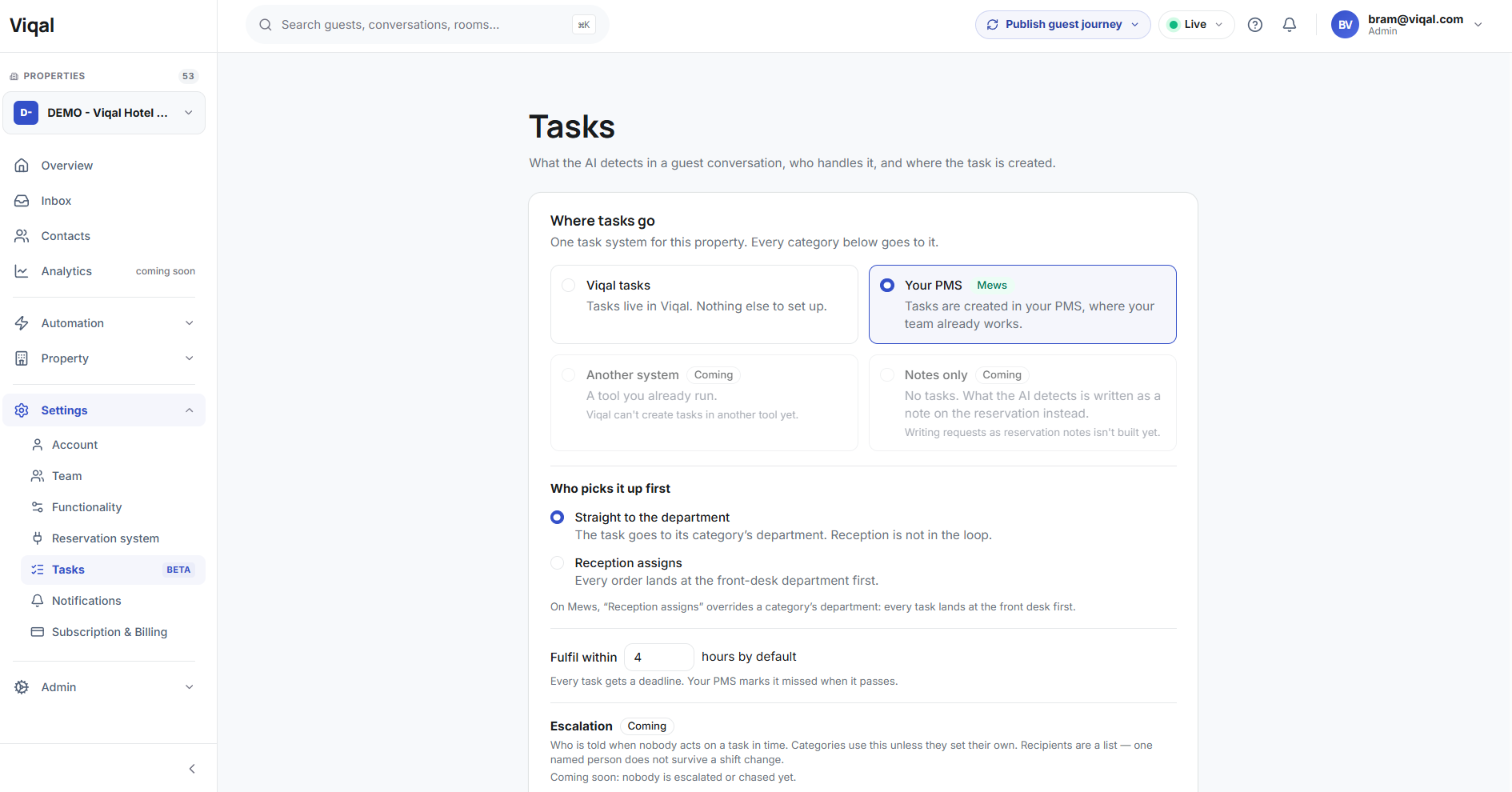
Departments and team members: assign tasks to a department or a specific person. Tasks are routed automatically based on the offer's category, and departments sync from your PMS.
Real deadlines: every task gets a deadline, set per offer, per category, or with your property's ‘Fulfil within’ setting.
Always in sync: departments and deadlines are identical in Viqal and Mews.
Opera notes: any task can be turned into a note on the guest's reservation in Oracle Opera (select “Notes only” in above screenshot), so your front desk sees it where they already work. Currently available for properties connected to Oracle Opera Cloud (OHIP). Support for additional PMSs is coming.
You can set up your main task settings under Settings > Tasks
You will find your actual tasks in the Team Inbox under the tab “Tasks” next to your Guest Chats
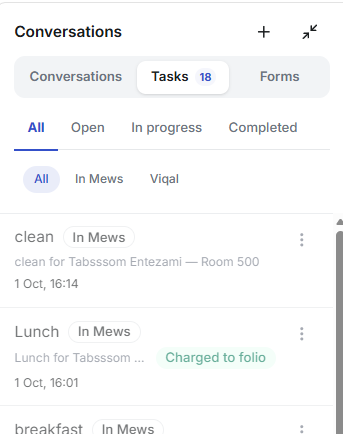
Tasks start with upsell fulfilment. Housekeeping and maintenance tasks are next.
Give your assistant your hotel's personality
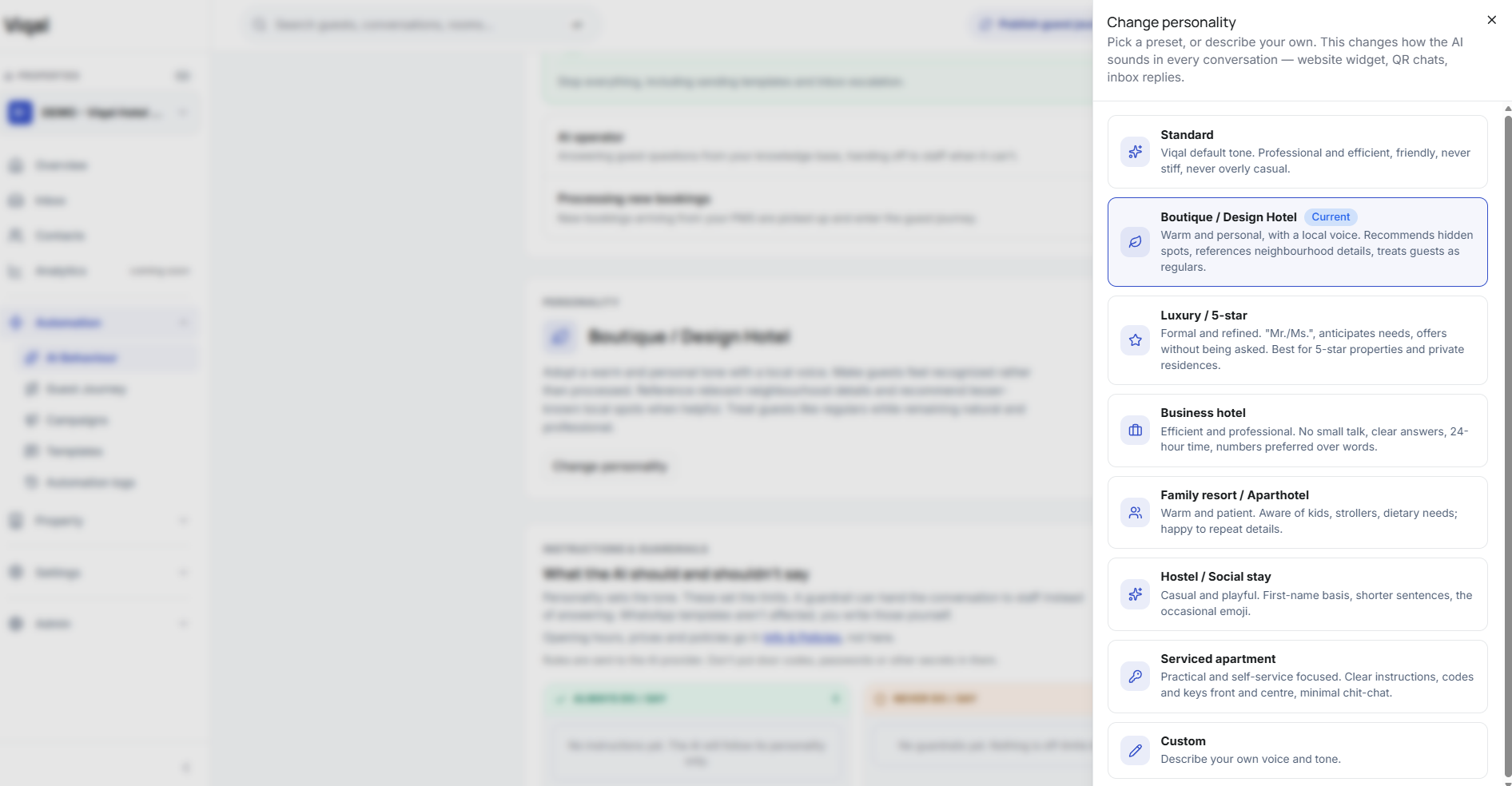
Choose how your AI sounds: warm and personal, short and efficient, or formal. Add your own instructions and set guardrails so it always speaks the way your hotel would. Find it under AI Behaviour settings.
You’'ll find the Ai personality settings under Automation > AI Behaviour > Personality
Guest forms, now in your Inbox
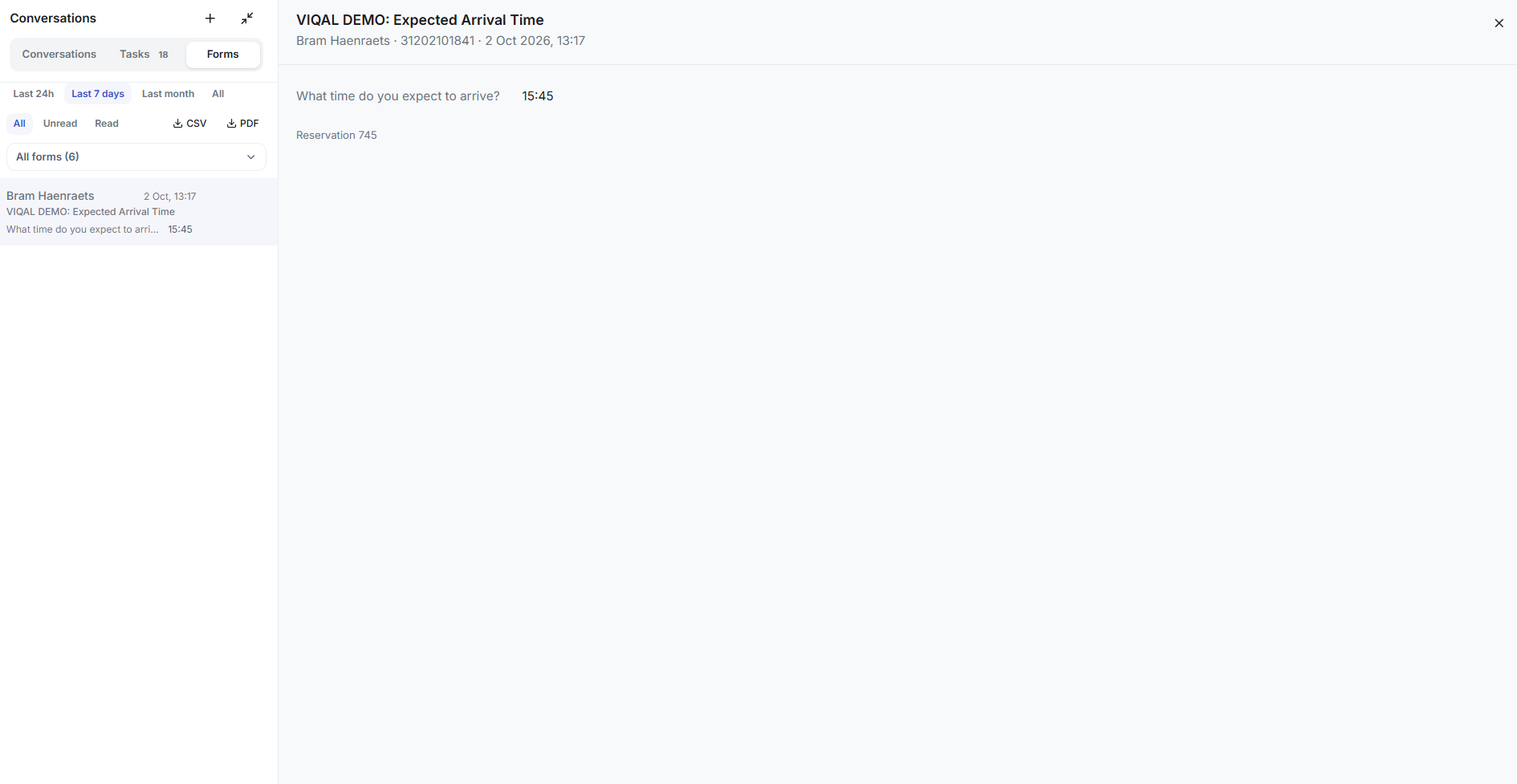
Forms get their own section in the Inbox, next to Conversations and Tasks. See every response at a glance, filter by form, date or read status, and export to CSV or PDF. Each answer is linked to the guest's reservation.
Also sent to your PMS: on top of landing in the Inbox, form answers (like expected arrival time or guest requests) can be written to the reservation as a note, with a staff alert. Turn it on per form. Currently available for properties connected to Opera. Support for additional PMSs is coming.
Also new
Start an Inbox conversation with any contact, even if they never messaged first.
Journeys follow real check-in and check-out times from Pylon.
Guest segmentation is now also available for Mews properties.
Easier template languages: add or remove a language in one click.
WhatsApp profile edits sync automatically.
Team invitations now stay valid for 30 days.
Fixes
Only verified WhatsApp orders can charge a guest's bill.
Upsell prices in templates show the same in the editor as in the sent message.
The Inbox now shows when the messaging connection drops, and stays connected more reliably.
Smoother WhatsApp account migration.
Security update to the dashboard.
That's Phase 2. Next up: more task types, upsells for more PMSs, and new channels, all building on the templates and journeys you already have.