Connect WhatsApp
Viqal talks to guests on the channels they already use — WhatsApp as the primary channel, with RCS, SMS and email as automatic fallbacks. WhatsApp runs on the official WhatsApp Business Platform through a WhatsApp Business Account (WABA), which you set up from your Viqal dashboard.
Written By Bram Haenraets
Last updated About 1 month ago
Choose your setup
There are three ways to run WhatsApp, depending on how branded you want the sender to be:
Don't link a WABA — your concierge uses a Viqal-owned account and appears to guests as "Viqal Virtual Concierge." Your property's name still shows in the description and in guest interactions. Fastest — nothing to set up.
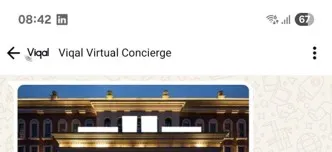
Example: if you don’t link your WABA, guests will see “Viqal Virtual Concierge” in WhatsApp Link a WABA without your own number — leave the WhatsApp number field empty. Viqal assigns a Viqal-owned US number, and your concierge displays your property's name.
Link a WABA with your own number — enter a phone number that isn't already linked to another WhatsApp app. The concierge displays your property's name and your own number.
Link your WhatsApp Business Account to Viqal
Linking runs through Meta's official flow, which Viqal walks you through in the dashboard — these are business-owner steps, not developer setup.
Start the linking process. Go to Settings → Account Setup. Optionally enter your WhatsApp phone number if you want to connect your own (leave it blank if not), then click Link to Meta.
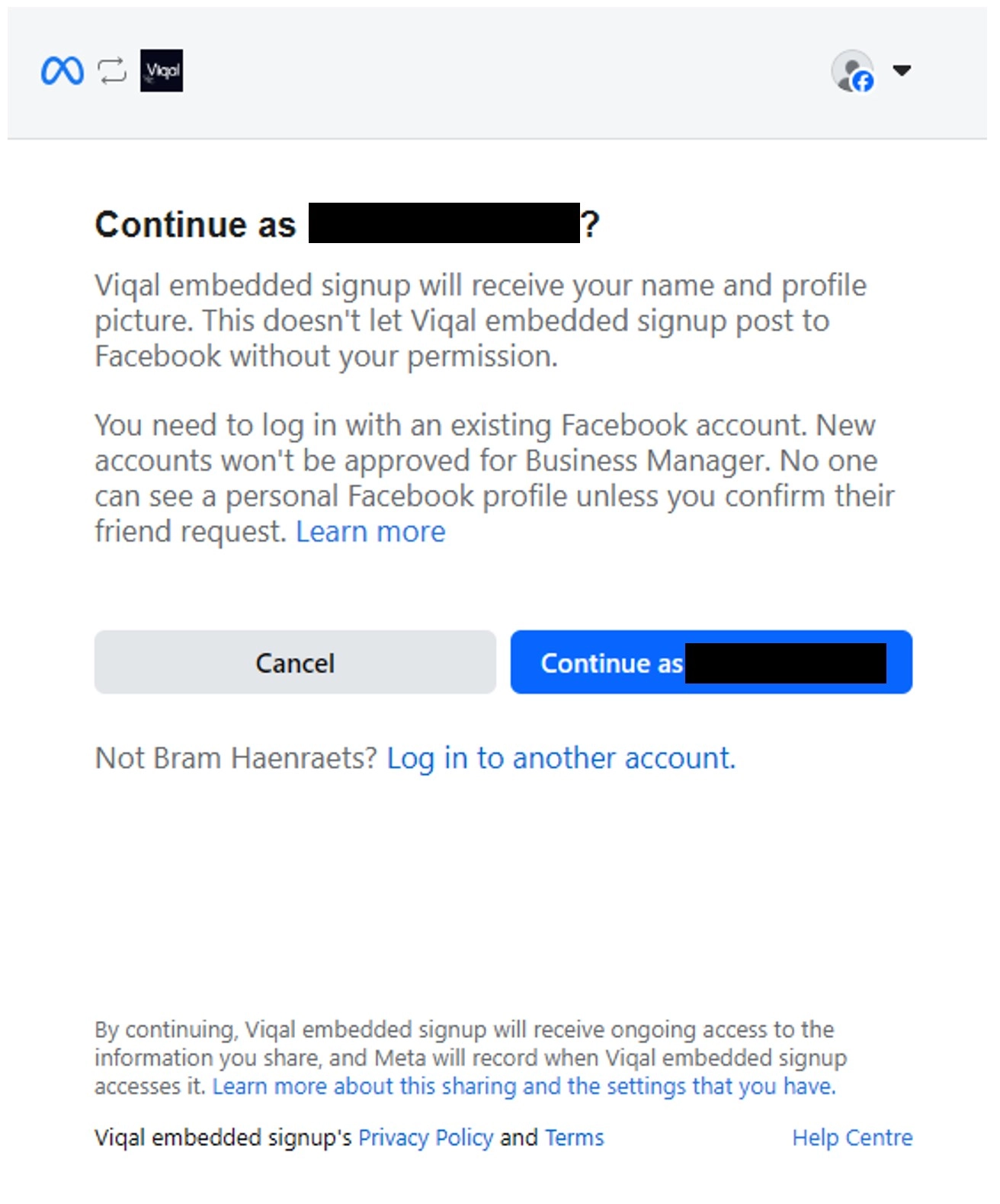
Log in to Facebook. In the pop-up, log in with the admin account of your Meta Business Manager and select Continue as [Your Name].
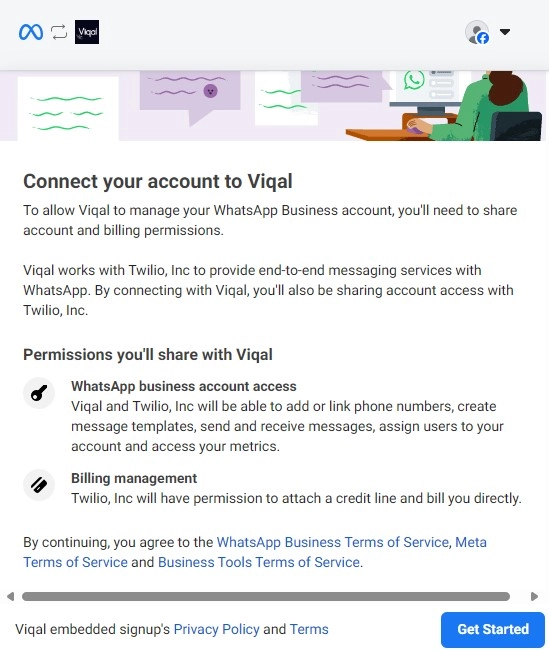
Grant permissions. Approve WhatsApp Business Account access (phone-number linking, template creation, messaging) and billing access, then click Get Started. Viqal is billed via Twilio and passes WhatsApp usage costs to you at cost price — no markup.
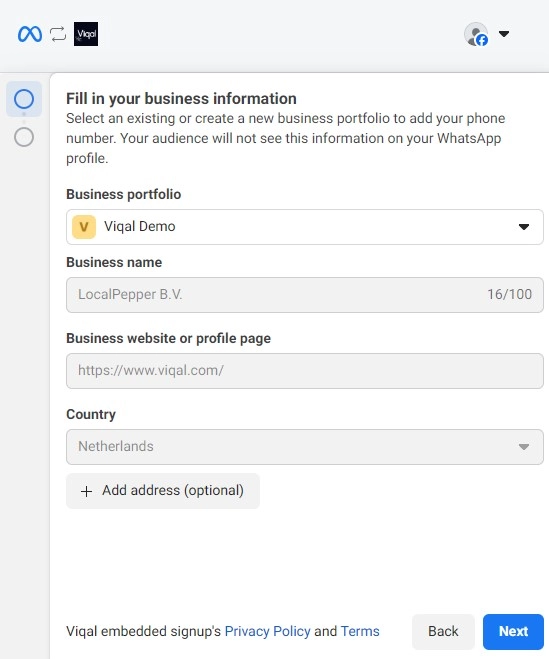
Enter your business information. Select or create a Business Portfolio, fill in your business name, website and country, then click Next.
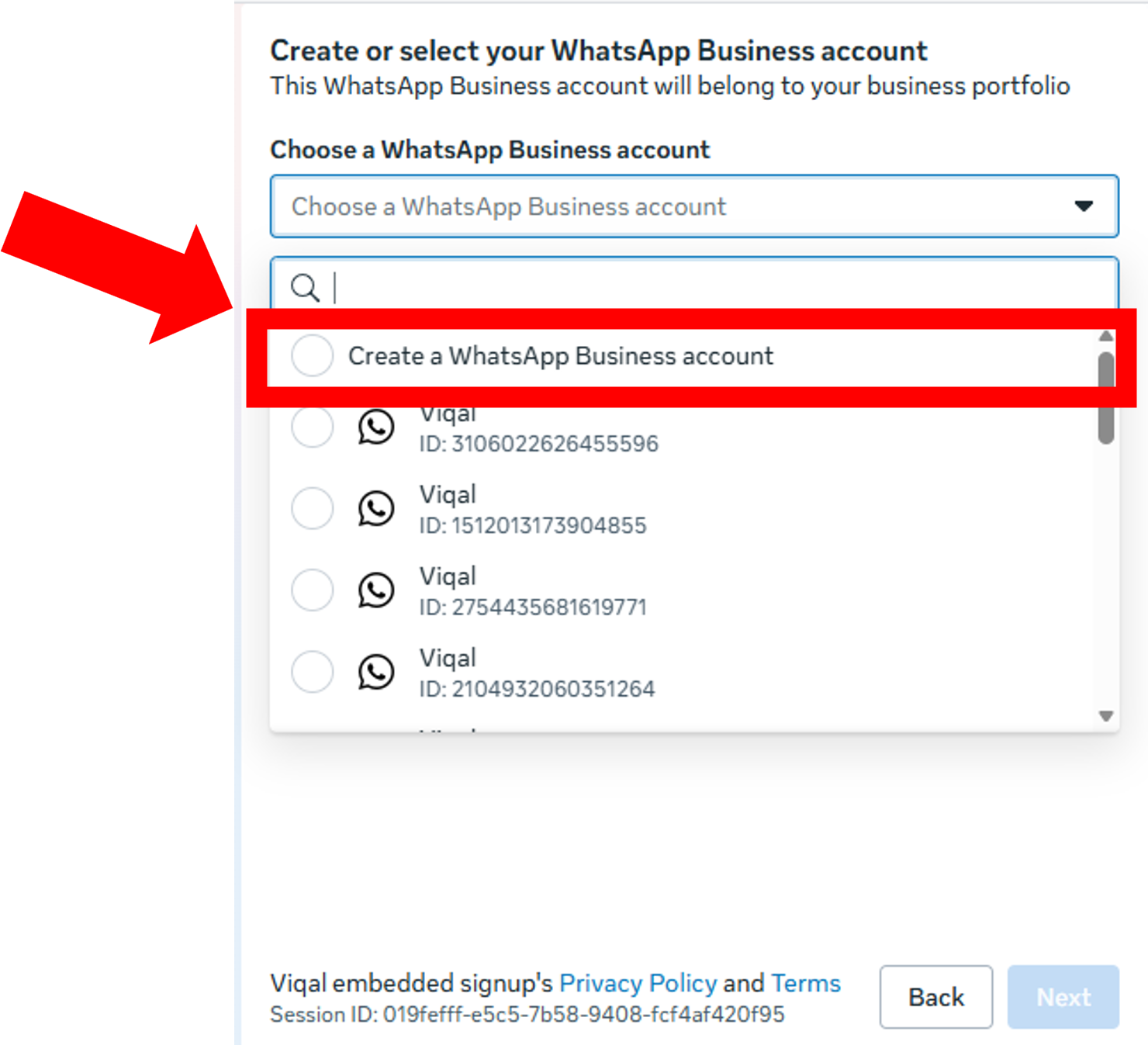
Select “Create a WhatsApp Business Account” for a clean setup. If you have to reuse an existing one, it must not be connected to any other app or service, not linked to the WhatsApp Business app on your phone, and have no prior integrations — otherwise Viqal can't connect to it. Click Next.
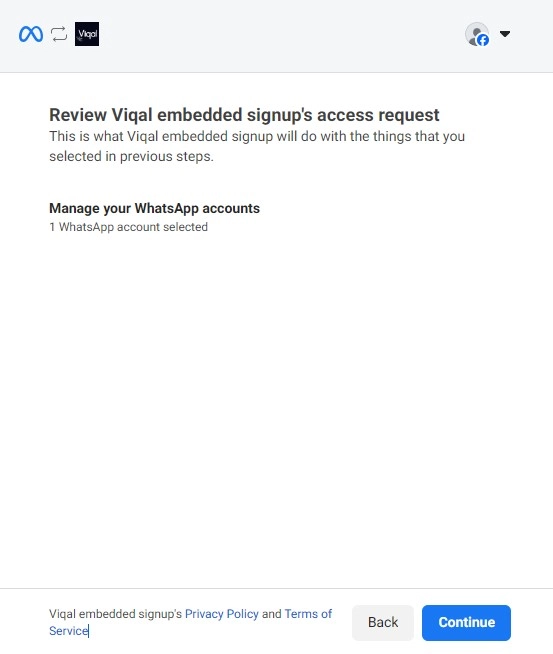
Review and confirm. Check the WABA details and click Continue. Your WABA is now linked and your AI-powered guest messaging is ready to go.
Verify your Meta Business Account
To show your hotel's name to guests (not just a number) and to message at scale, your Meta Business Account must be verified inside Meta Business Manager. This is also a prerequisite for the Official Business Account badge.
Go to business.facebook.com and select your Business Portfolio (top-left).
Go to Settings → Security Centre.
Check your status and complete any verification steps Meta asks for.
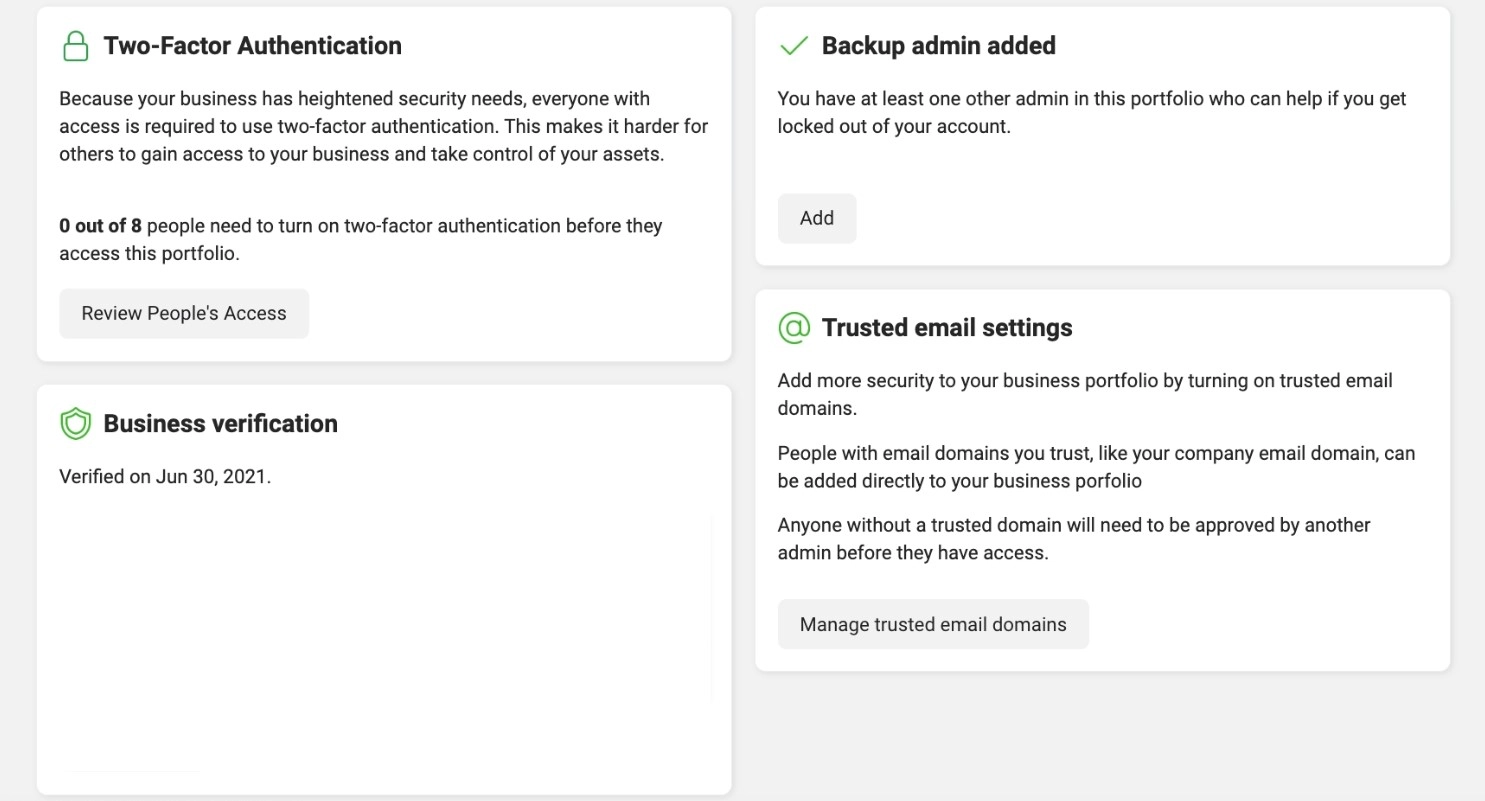
The verification process is entirely handled by Meta. Viqal can support you through the steps, but we cannot guarantee approval — it depends on Meta's internal review and criteria
Verify your WhatsApp Business Account (WABA)
Verifying the WABA itself activates full messaging capability. It unlocks:
Messaging beyond the default 250 conversations/day limit.
Use of message templates.
Eligibility to apply for the Official Business Account badge (the blue tick).
In Meta Business Manager, select your Business Portfolio (top-left).
Go to Settings → Accounts → WhatsApp Accounts and check your WABA status.
If verification is required, follow Meta's prompts and upload your business documentation.
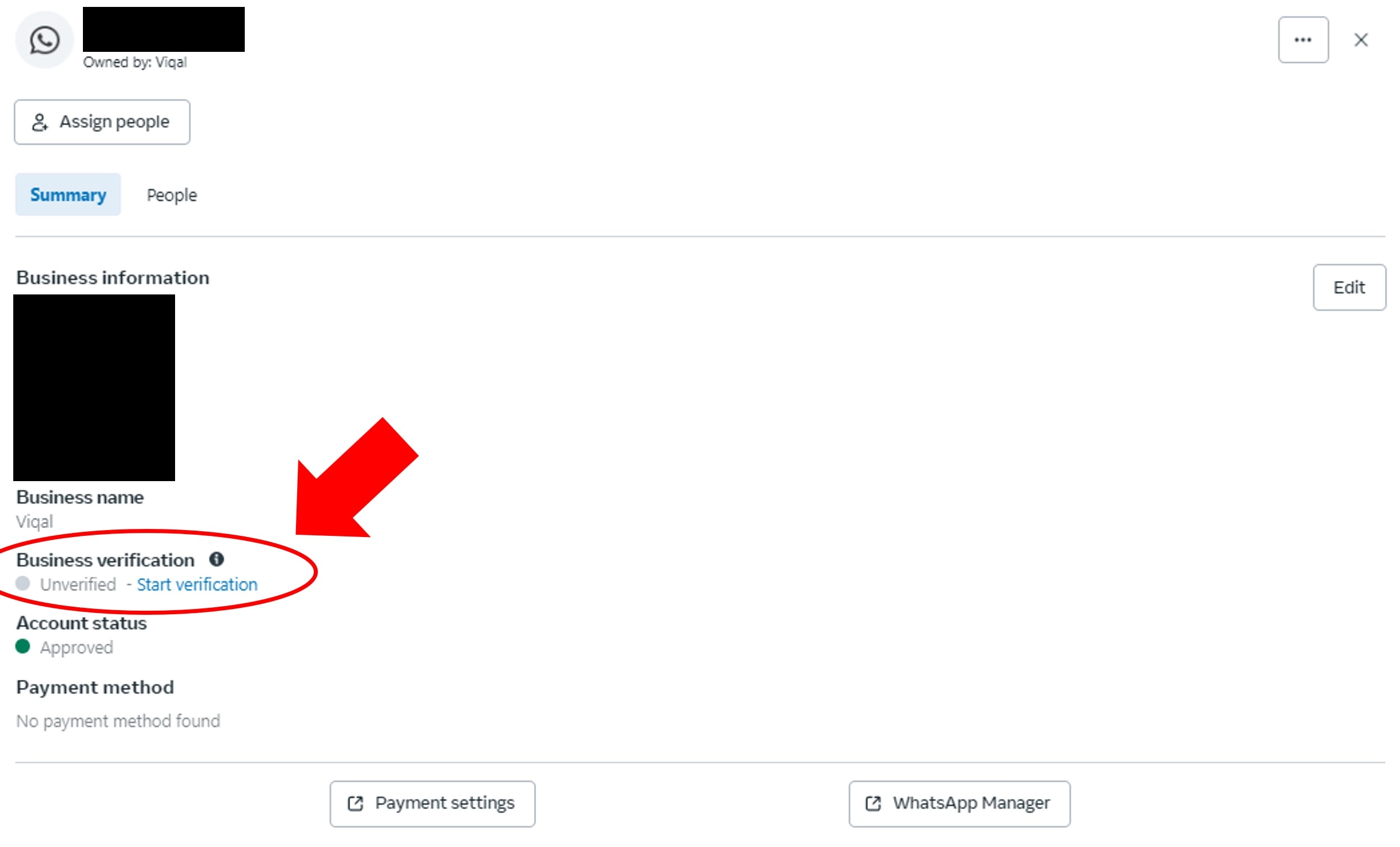
Both verifications are handled entirely by Meta — Viqal can support you through them but can't guarantee approval. For messaging tiers and the blue tick in detail, see Get the blue tick on WhatsApp.
Your channels and how fallback works
WhatsApp is primary; if a guest can't be reached, Viqal automatically tries the next channel in your delivery chain — WhatsApp → RCS → SMS → Email (WhatsApp always first; you can reorder the others).
WhatsApp Business — the primary channel.
RCS — rich text (images, buttons) on Android and iOS 18+. Live in V1 via a shared Viqal sender, in select countries (most of Europe plus the UK, US and Mexico). [RECHECK-AT-FREEZE: confirm the exact RCS country list at launch.] Falls back to SMS where unavailable.
SMS — universal text fallback that reaches any phone.
Email — contact enrichment and an optional final fallback.
Was this helpful?
Still need help? Ask the team