Get the blue tick on WhatsApp
Apply for WhatsApp's Official Business Account badge — requirements, how to apply, and messaging tiers.
Written By Bram Haenraets
Last updated 4 months ago
The blue tick (formerly green) is WhatsApp's verification badge for an Official Business Account. It tells guests Meta has confirmed your hotel as the real, official account, and makes your number discoverable in WhatsApp's in-app search.
Before you start
The blue tick is not required to use WhatsApp through Viqal — it's a credibility and discoverability boost, not a feature unlock.
Approval is decided by Meta; Viqal can guide, but the final call is theirs.
The application is free through the WhatsApp Business API.
The hardest hurdle is being a recognised brand with measurable public presence — search volume, reviews, online footprint. Press helps but isn't required.
Requirements (Meta's criteria)
WhatsApp Business API connected via Viqal for at least 30 days.
Verified Meta Business Manager (Business Verification complete).
Two-factor authentication enabled on your WhatsApp Business number.
Approved display name matching your legal business name exactly — no marketing words, no emojis.
A notable, well-known brand — Meta's wording: "well-known and frequently searched for business, brand, or entity." Signals include Google search volume, reviews on TripAdvisor / Booking.com / Google, a Wikipedia entry, and organic press.
Compliance with WhatsApp's Business Messaging Policy.
How to apply
You submit the application yourself through Meta Business Manager:
Go to business.facebook.com → Settings → Accounts → WhatsApp accounts.
Select your WhatsApp account, then click WhatsApp Manager.
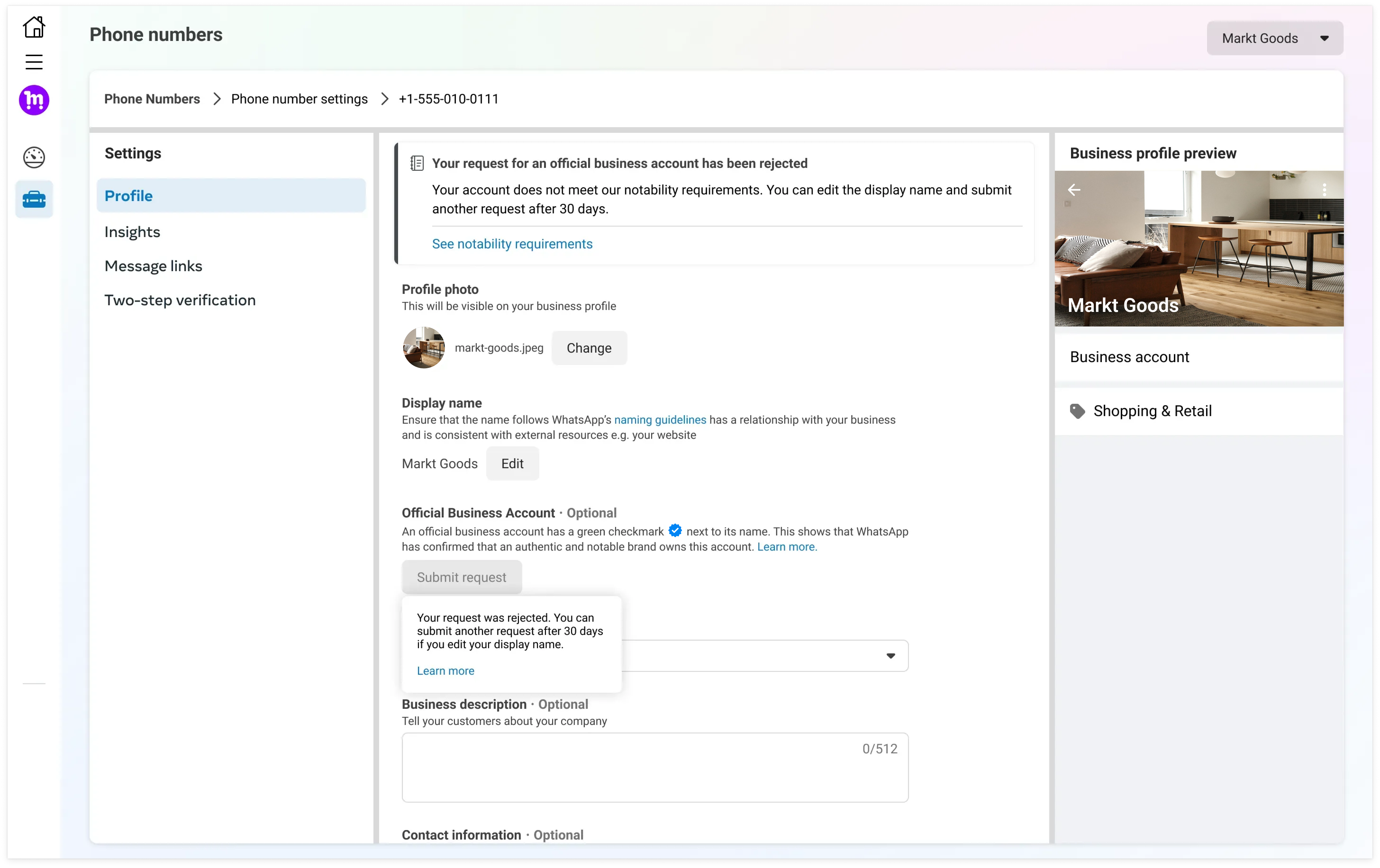
Go to Phone numbers → click your number → the Profile tab.
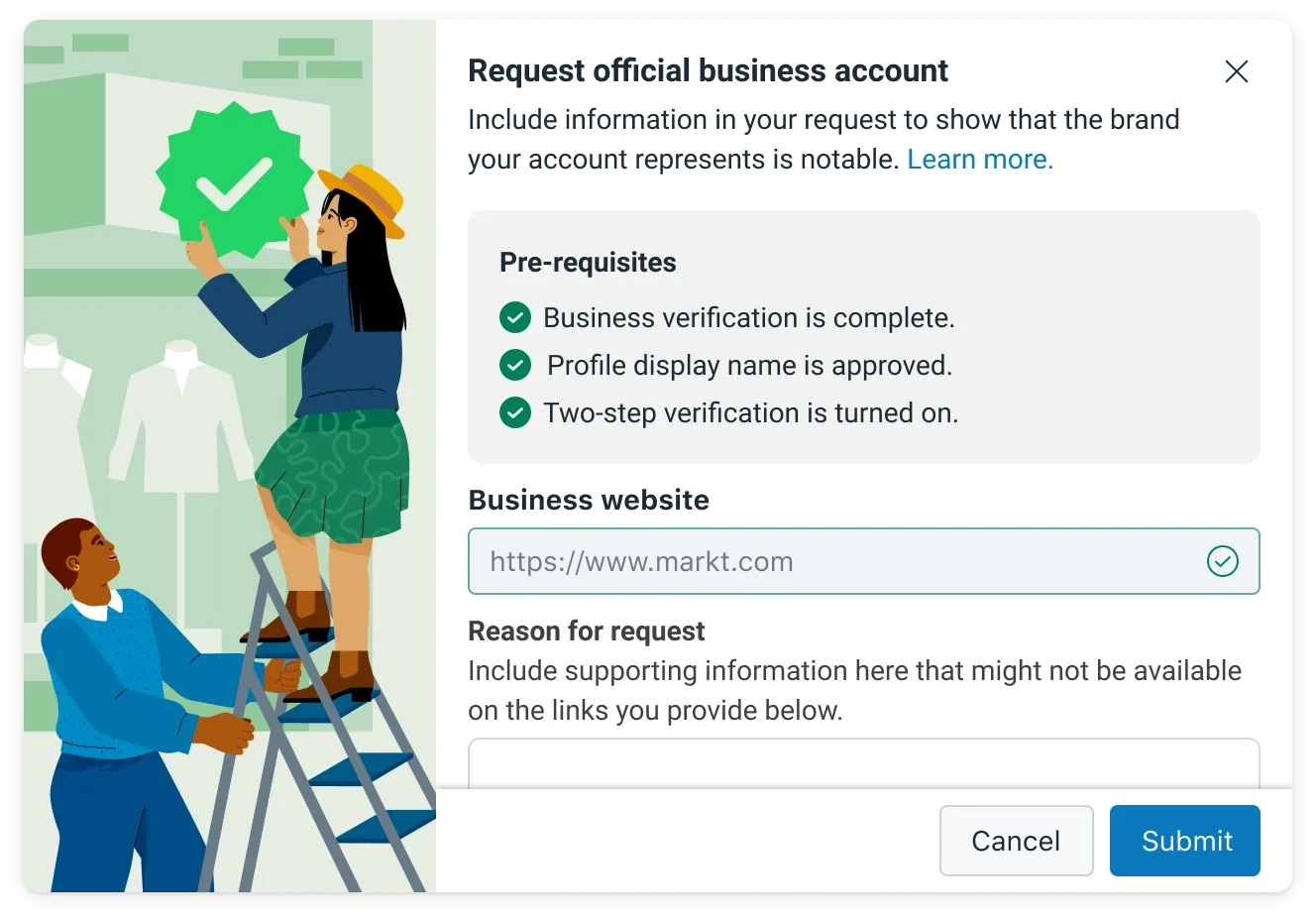
Find Official business account → click Submit Request.
Fill out the form — business website, parent brand (if any), country, language, and supporting info (mention notable recognition, press and awards here).
Submit and wait. Review can take several weeks; Meta doesn't send status updates.
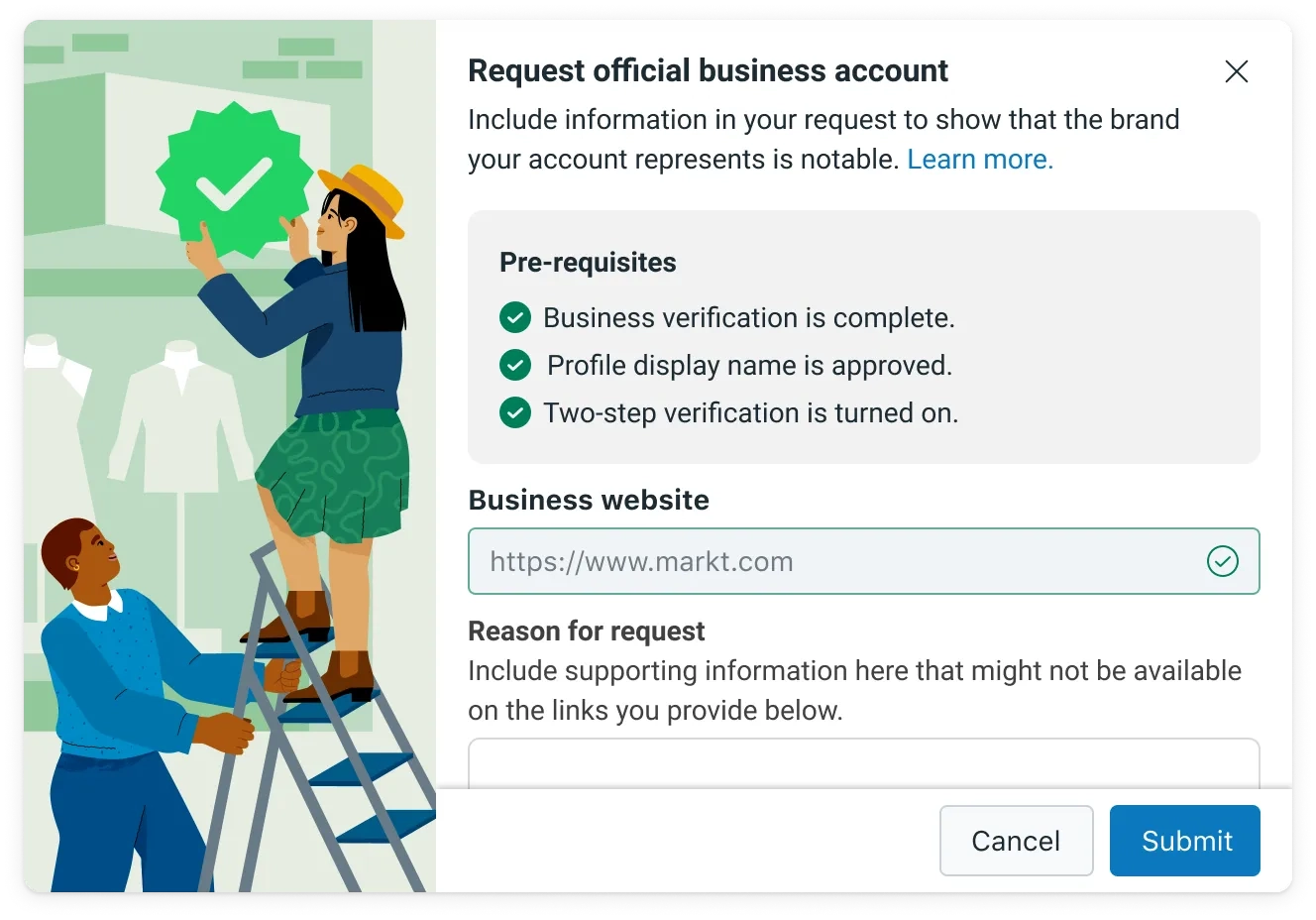
If approved, the blue tick appears automatically. If rejected, wait 30 days before reapplying — decisions can't be appealed.
If "Submit request" is greyed out
The button only activates when Meta considers your business potentially eligible. Common reasons it stays locked:
Account is less than 30 days old on the platform
Meta Business Verification not complete
Two-factor authentication not enabled
Display name not yet approved
Insufficient brand presence detected by Meta
Regional rollout limits
Messaging tiers (related)
Separately, WhatsApp limits how many unique guests you can start conversations with per day:
Tier 0 — 250 recipients / 24h (default)
Tier 1 — 1,000 / day (after Business Verification)
Tier 2 — 2,000 / day
Auto-scales upward: 10,000 → 100,000 → unlimited
Limits only apply to business-initiated template messages outside the 24-hour customer-service window — guest-initiated chats and your replies don't count. Tier 1 is enough for most hotels' normal guest comms; tiers matter for marketing broadcasts and large group check-ins. Complete Meta Business Verification early — it unlocks Tier 1 immediately and is also a blue-tick prerequisite.
Who does what
Viqal — API setup, display-name configuration, answering your questions.
You — meeting the eligibility criteria, completing Meta Business Verification, building public brand presence, submitting the application, and waiting 30 days if denied.
A realistic note
For chain hotels and well-known boutique brands, the application is straightforward. For smaller or newer properties, expect rejection at first — Meta doesn't publish a notability threshold and doesn't accept appeals. Strengthen your public presence (search visibility, reviews, organic press) and reapply after 30 days. You can operate fully on WhatsApp through Viqal in the meantime.
Official Meta references: Official Business Accounts overview · Meta Business Verification.
Was this helpful?
Still need help? Ask the team